

Search Results
Promotional Calculators
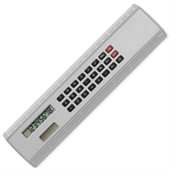
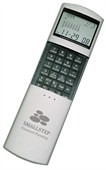
Promotional calculators remain a common desktop accessory in offices, schools, retail environments and administrative workplaces. The category primarily includes Desk Calculators and Pocket Calculators, each designed to provide quick access to mathematical calculations without relying on computers or mobile devices. Products vary in display size, keypad layout, portability and intended working environment.
Calculators are frequently used for accounting, quoting, inventory management, budgeting and educational activities where rapid numerical calculations are required. Desk models generally prioritise larger displays and keypads for frequent use, while pocket-sized versions focus on portability and convenient storage. The category continues to be used in workplaces where dedicated calculation devices remain part of everyday workflows.
Some Popular Calculators
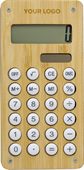
How Calculator Design Affects Speed & Accuracy
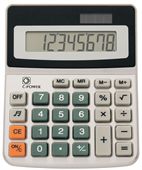
Calculator design can have a significant impact on how quickly and accurately calculations are performed. Larger desktop calculators often feature oversized displays and widely spaced keys, making them easier to use when entering long figures or performing repetitive calculations. Pocket calculators prioritise portability and compact storage, although the smaller keys and displays may be less suited to prolonged use.
Display angle, button feedback and screen size all contribute to usability. Tilting displays can improve readability under office lighting, while larger numeric displays help reduce data-entry errors when checking figures. These design differences explain why desktop calculators remain popular in accounting, administration and retail environments where calculations are performed throughout the day.
Solar models outlast battery ones in giveaways. You won't get complaints about dead units six months down the track, and they are ready to use as soon as they're taken out of the box.
Both types generally provide the same level of mathematical accuracy. The main difference is usability, with desktop calculators often offering larger displays and keypads that can reduce input errors during frequent calculations.
Larger displays make it easier to review figures before confirming calculations. This can be particularly useful in accounting, administration and retail environments where long numbers and repeated data entry are common.
Input errors are often related to small keys, closely spaced buttons or accidental double presses. Display readability can also play a role, particularly when working with long numerical values.
Heavy use can eventually affect button responsiveness, particularly on calculators that process large numbers of calculations each day. The lifespan depends on button design, switch quality and usage frequency.
Readability depends on viewing distance and lighting conditions, but larger displays with high contrast are generally easier to read. Tilted screens can also improve visibility by reducing glare from overhead lighting.
Claire from our sales team says: The difference usually comes from the switch mechanism beneath the key rather than the key itself. Calculators designed for frequent office use often provide more tactile feedback, making it easier to confirm each keypress and reducing the chance of entering incorrect figures during rapid calculations.
Calculator Features For Offices, Retail & Administration
Calculators continue to play an important role in workplaces where quick and reliable numerical calculations are required throughout the day. Desktop and pocket calculators differ in their display size, keypad layout, portability and operating features, making them suitable for different working environments. Functions such as memory storage, percentage calculations and large-format displays can improve efficiency when processing figures, budgets, invoices and pricing calculations. If you need help comparing the available options, our team can assist.